


AF 35-150mm F2-2.8 FE
Zoom · Sony E
The Fast All-Rounder Zoom
- Focal Length
- 35-150mm
- Aperture
- Wide / Tele
- Min Focus
- 0.33m (1.08ft) / 0.85m (2.79ft)
- Filter Size
- Φ 82.0
- Weight
- 1,231g / 43.4oz
The Fast All-Rounder Zoom
Meet Samyang’s next-generation zoom lens!
The Samyang AF 35-150mm F2-2.8 FE has a maximum aperture of F2 at its widest and F2.8 at the telephoto end, which covers the five main focal lengths (35mm/50mm/85mm/135mm/150mm). With its wide zoom range, the lens is designed as a fast all-rounder that covers a broad range of shooting scenarios, from portraits to travel.
In addition, the excellent optical design of the lens provides superior resolution right to the edge, and the Linear Stepping Motor allows faster and more accurate AF performance.
With the addition of various video-specialized functions, the lens will satisfy both photographers and videographers. Dolly shot mode and Linear MF mode, which can be used with a custom switch, help you shoot more professionally.
Enjoy easier and more convenient photography and video shooting with Samyang AF 35-150mm F2-2.8.
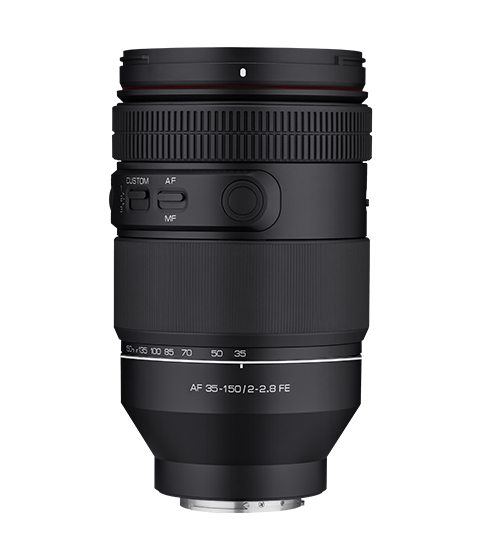
Covering everything between 35mm and 150mm
One lens for every scene
Samyang has moved a step forward with its second zoom lens to provide a more convenient user experience. The lens is remarkably versatile as an all-rounder with a fast maximum aperture and provides solutions for photographers seeking to avoid changing lenses. Whilst primarily designed for portrait photographers, the wide zoom range is also useful for everyone shooting commercials, events and travel imagery.
Outstanding Resolution,
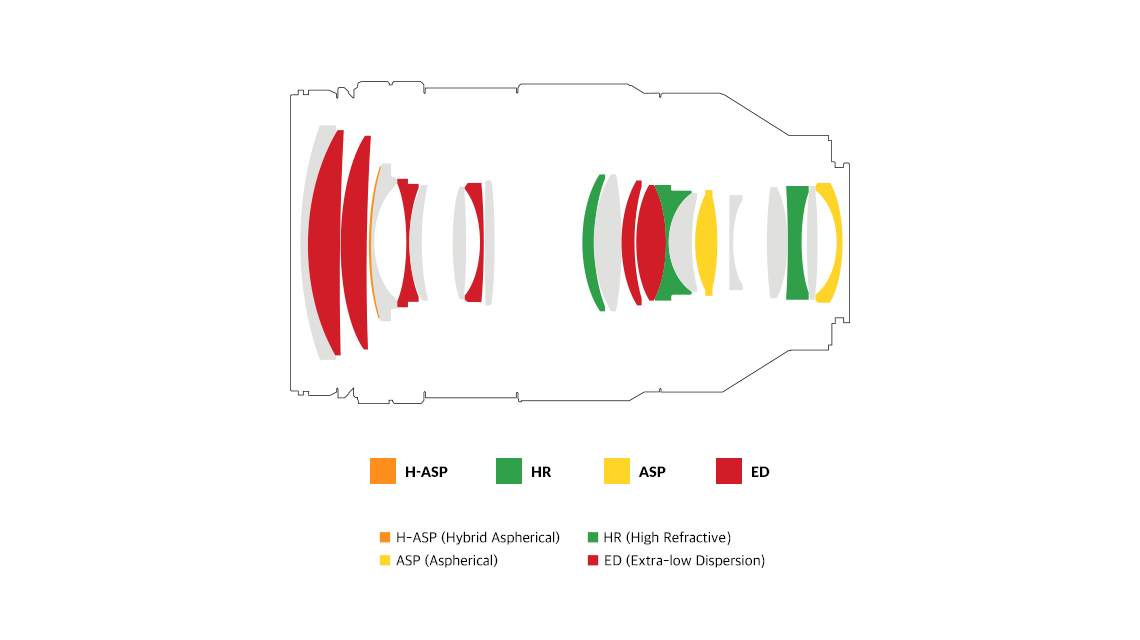
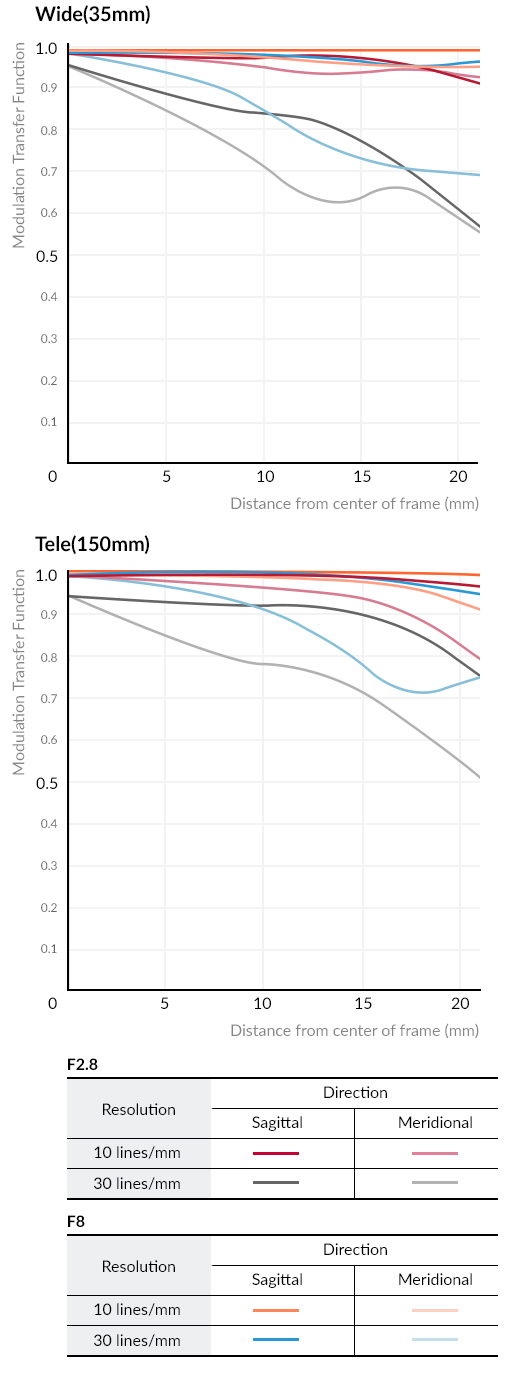
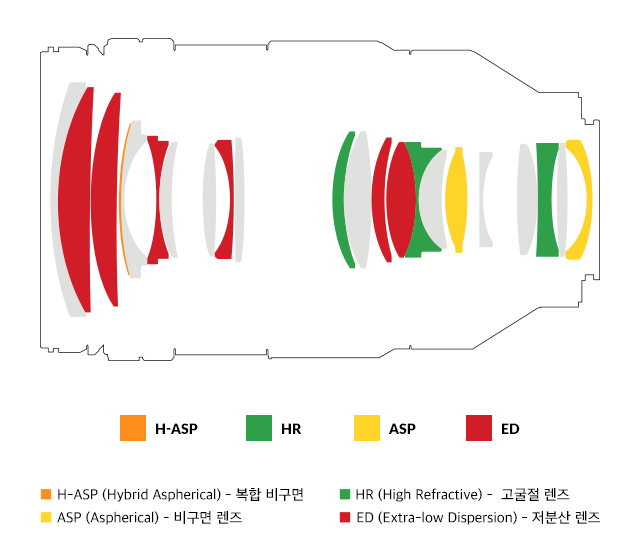
from corner-to-cornerWith the latest optical design using special lenses for 12 out of the 21 total elements(in 18 groups), this lens demonstrates excellent optical performance throughout the zoom ranges from wide-angle to telephoto. When combined with Sony’s full-frame image sensor, the lens delivers superior sharp images from edge to edge. In addition, ´UMC (Ultra Multi-Coating)´ technology is applied to minimize flare and ghosting, helping to produce natural and clear images.
[Optical Construction]
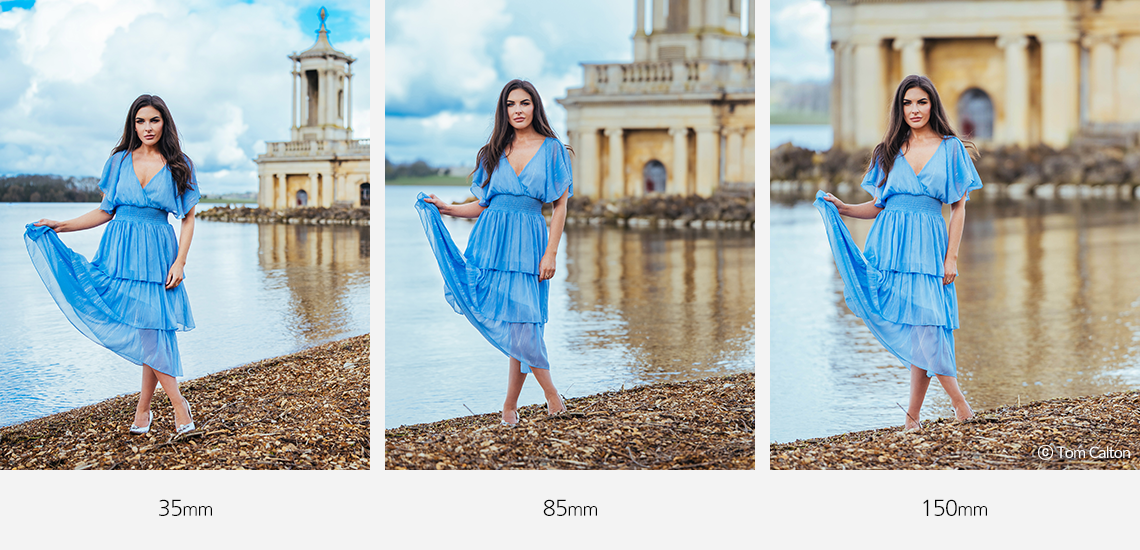
Impressive bokeh with a bright
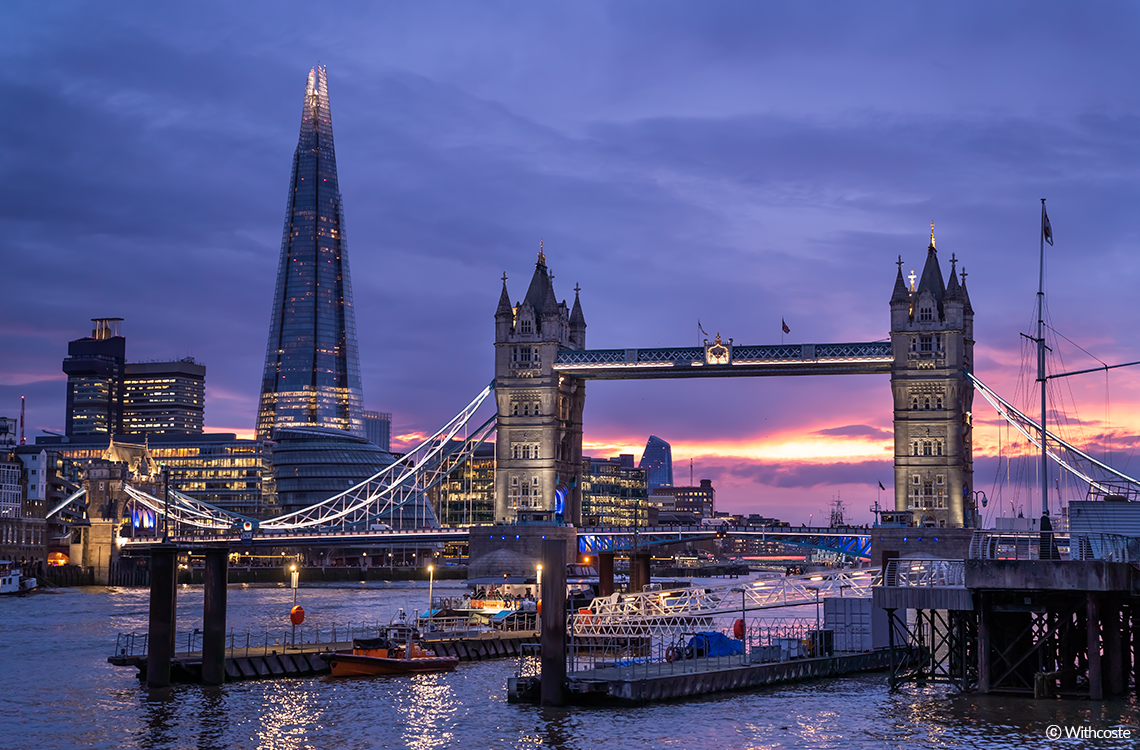
F2-F2.8 apertureA large aperture starting from F2 presents an attractive background blur to the image´s out-of-focus areas. The lens effectively separates the subject from the background, using a shallow depth of field to capture a unique image in which the background is compressed. The clear and natural bokeh created by the 9 diaphragm blades makes it possible to capture beautiful night-time cityscapes.
Fast and accurate AF performance and Short M.O.D
The Linear Stepping Motor, which provides high responsiveness and accuracy when shooting photos and videos, is excellent for tracking fast-moving subjects. The lens also offers excellent close-up performance for an all-rounder zoom. With a MOD (Minimum Object Distance) of 0.33m at 35mm and 0.85m at 150mm, you can easily get close-ups with sharp details. Combined with the fast aperture of the lens, the background is beautifully blurred when close to the subject, making the lens even more versatile.
Enhanced Functionality with the custom switch & button
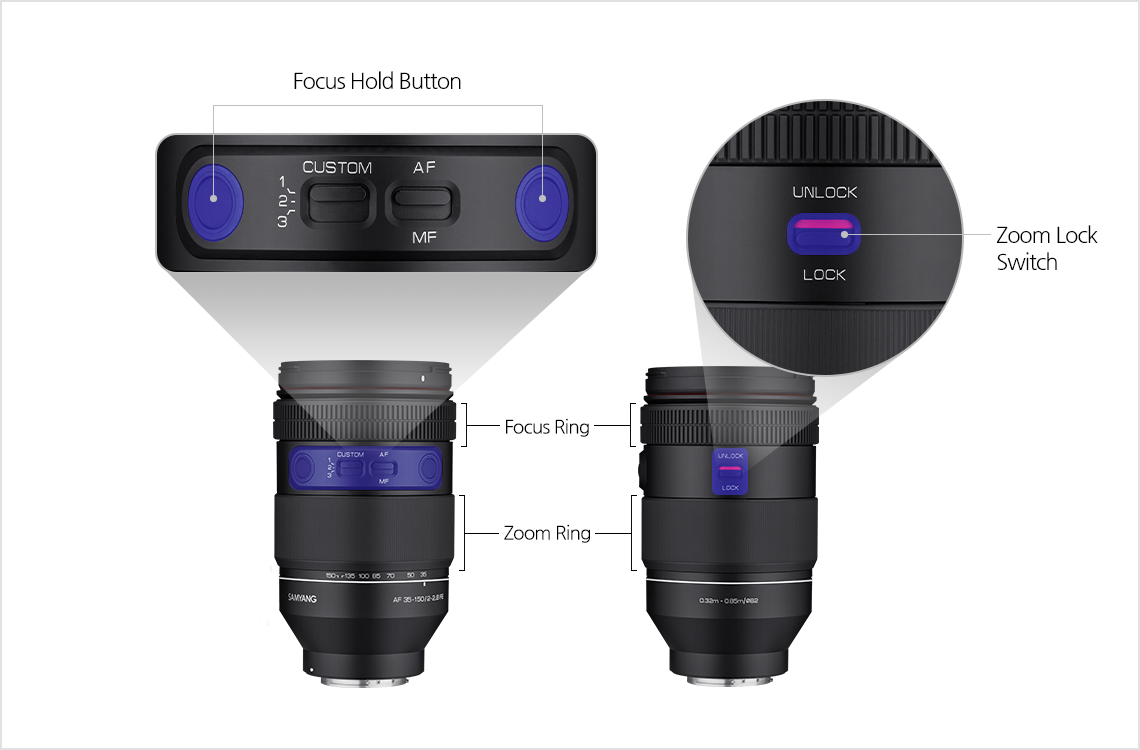
Custom switches and buttons allow the user to control the lens completely.
Custom Switch
MODE 1 MODE 2 MODE 3 AF Mode AF Aperture Adjustment - MF Mode MF Linear MF Dolly Shot *The focusing ring operates as the aperture adjustment and Linear MF functions in MODE 2
*The mode can be customized via the optional Lens Station
In Linear MF mode, focus movement is constant regardless of the speed at which the focus ring is turned through its 300° rotation. When using a follow focus, this allows a more precise control.
Focus Hold Button
AF Position MF Position Focus Hold Focus Save [How to use the focus hold button]
When you press and hold down the "focus hold button" for 3 seconds, the screen blinks and informs you of the saving status. The function allows the users to save focus at any desired position and naturally change focus between two subjects. When you press the button briefly after saving, the focus moves to a saved position.
Zoom Lock Switch
A zoom lock switch helps users keep the lens set at its shortest 35mm position, making it more convenient and safe to carry.
Easily be a professional videographer
Dolly Shot
The MODE 3 in MF position, you can easily take "Dolly Shot", a special effect you see in movies.
A professional dolly can be expensive and challenging to operate because you have to operate the focus ring and zoom ring simultaneously while changing the distance to the subject. In "Dolly Shot Mode", the focus ring and zoom ring are linked in the system so that users take dolly shot simply to operate the zoom ring.
[What is Dolly Shot? How to shoot easily]
[What is Dolly Shot? How to Shoot Easily]
[What is Dolly shot?]
A dolly shot, also referred to as a tracking shot or trucking shot, is a camera movement technique used by cinematographers to track and follow a subject in motion. To achieve this, the camera is mounted on a device called a "dolly," which facilitates smooth tracking movement. The dolly can move in front of, behind, or alongside the subject, which can be a person, a location, a product, or any other object of focus in the frame. Through this, you can control the emotional distance between the subject and the viewer by highlighting the audiovisual and dramatic effects.[How to take a Dolly Shot simply by handheld]
Tip. If the moving distance is long, the camera may shake, so please shoot at a focal length between 35 and 100mm.
1. Stand at a distance of about 1.5 to 2 meters away from the subject.
2. Set the custom switch to MF and Mode 3 and adjust the focal length to about 100mm.
3. After focusing on the subject, set the aperture to F8~16.
4. Slowly turn the zoom ring to the left (towards the wide-angle end) while using your upper body and arms to move the camera toward your subject.
5. Dolly Shot complete!
※ When shooting from a farther distance from the subject, use a cart or gimbal for more stable shooting.Digital Par-Focal
After focusing on the subject in MF mode, the focus doesn’t require adjusting again, even when zoomed in or out. This allows filmmakers to reduce shooting time and allow accurate and stable shooting.
Carry your lens around anywhere
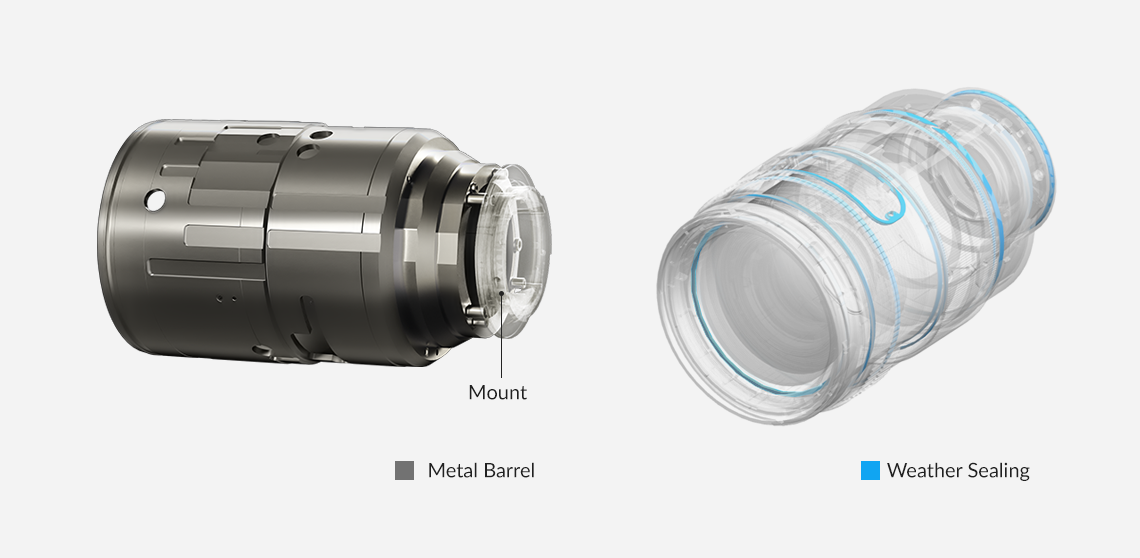
The ´Hidden Red Ring´, which upgraded Samyang´s premium design to the next level, makes the lens even more attractive. In addition, by applying a metal barrel, the build quality was improved and the lens was made more robust. Considering the users’ shooting environment, the lens is designed to be weather sealed to prevent damage or contamination from dust, light rain, and snow.


Optimized features for video shooting
Premium and solid design
Product Specifications
| Model Name | AF 35-150mm F2-2.8 FE | ||
|---|---|---|---|
| Aperture Range | Wide | Tele | |
| F2.0 ~ F16 | F2.8 ~ F22 | ||
| Lens Optical | Construction | 21 Elements in 18 Groups | |
| Special Lens | ASP 2, H-ASP 1 , HR 3 , ED 6 | ||
| Coating | UMC | ||
| Minimum Focusing Distance | 0.33m (1.08ft) | 0.85m (2.79ft) | |
| Magnification Ratio | 0.175x (1:5.7) | 0.18x (1:5.5) | |
| Number of Blades | 9 | ||
| Filter Size (mm) | Φ 82.0 | ||
| Maximum Diameter (mm) | Φ 92.8 | ||
| Mount | Sony FE | ||
| Angle of view | Full Frame | 61.8˚ | 16.4˚ |
| APS-C | 43.3˚ | 11.0˚ | |
| Length | 157.4mm / 6.2in | 197.9mm / 7.79in | |
| Weight (without Lens Cap, Hood) | 1,231g / 43.4oz | ||
| Weather Sealing | O | ||
| AF/MF mode switch | O | ||
| AF Motor | Linear STM | ||
MTF / Optics
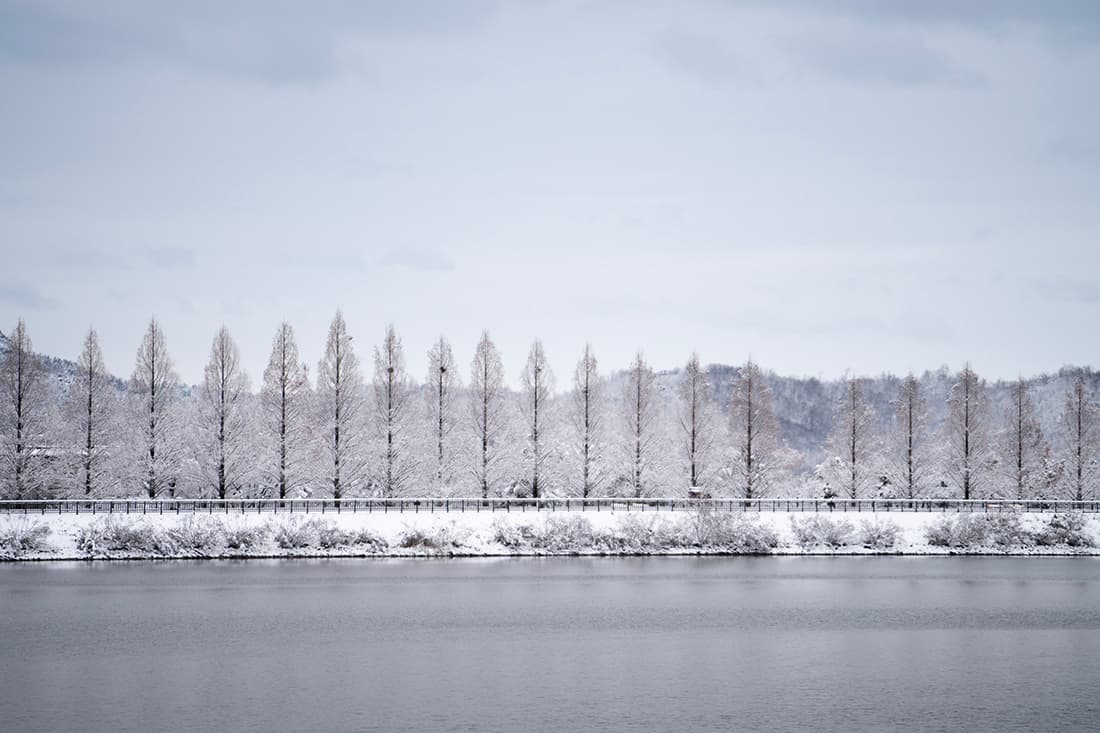
Moments Captured with This Lens
till.groos.fotografie
SAMPLE PHOTO
M.K. Orłowski
SAMPLE PHOTO
almostsomeday
SAMPLE PHOTO
Arvin Mantilla
SAMPLE PHOTO



Downloads
| Files | File Info | Downloads |
|---|---|---|
| Manual | Format: PDF | |
| Firmware | Lens Firmware · Check for the latest version |
FAQ
Lenses to Explore Together
No related products.